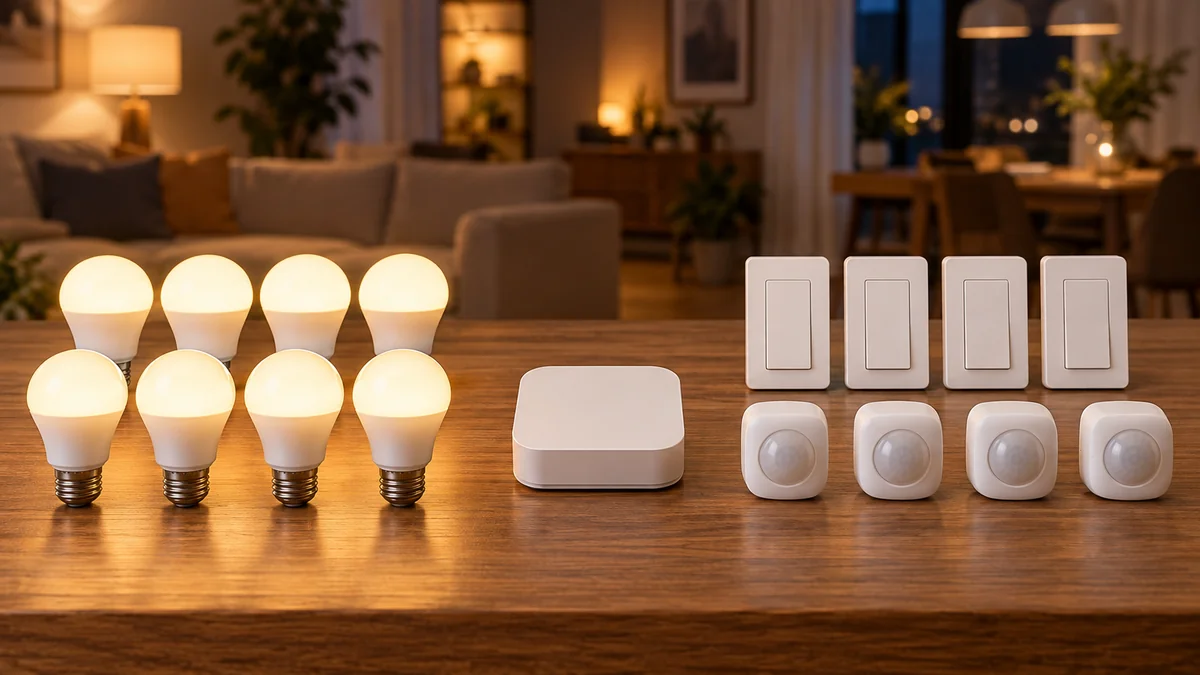
How many devices can hue bridge support? A standard Hue Bridge is designed for up to 50 lights and 12 accessories, counted in two separate pools.
Hue Bridge Pro raises that published capacity to 150 or more lights and 50 or more accessories. Don’t add those numbers together and treat the result as one interchangeable device allowance.
Count bulbs, light strips, and fixtures in one column, then count switches, buttons, and sensors in another before you buy anything.
The smart-home troubleshooting map is the better starting point if devices have suddenly gone offline. If you are still planning sockets, wall controls, or locations, use the home installation guide before changing the hub.
How many devices can hue bridge support? Use two counts
Philips Hue’s current Bridge capacity guide lists 50 lights and 12 accessories for the standard Bridge.
Its table also mentions a hard limit of 63 lights, but that is not a sensible shopping target. The same guide says the published limits exist to keep communication fast and stable, and that an overloaded Bridge can respond slowly or leave lights unresponsive.
Plan around 50, not 63.
| Control path | Lights | Accessories | Best fit |
|---|---|---|---|
| Bluetooth only | Up to 10 | Up to 10 | One room with basic local control |
| Hue Bridge | Up to 50 | Up to 12 | Most single-home systems |
| Hue Bridge Pro | 150+ | 50+ | Large systems or a planned consolidation |
The Bluetooth figures come from Hue’s current system comparison. Bluetooth is not a way to stretch a full Bridge installation because it gives up the Bridge’s complete automation, remote-control, and integration path.
Twelve controls arrive sooner than 50 lights
A home with 28 bulbs can still be near its practical limit if it also has a dimmer in each room, several motion sensors, and a few smart buttons.
This is why “I only have 30 devices” is not enough information. A motion sensor does not consume one of the 50 light positions, and a bulb does not consume one of the 12 accessory positions.
Build a two-line inventory from the Hue app:
- Lights: bulbs, lamps, light strips, and Hue fixtures assigned to this Bridge.
- Accessories: dimmer switches, smart buttons, motion sensors, and other controls assigned to it.
- Boundaries: rooms, outdoor areas, voice assistants, Hue Sync zones, and automations that must work together.
That last line does not change the numeric limit, but it changes the correct purchase. Two Bridges with spare capacity can still be the wrong design if one automation must coordinate devices on both.
“Is the 50 device limit purely due to bridge hardware?” — a Hue owner trying to understand which count actually stops an expansion, in r/Hue
The useful answer is operational: use Hue’s supported capacity for planning even when a forum post reports squeezing in more devices.
Choose one of three expansion paths
- Keep the standard Bridge. Choose this when both counts remain comfortably below 50 lights and 12 accessories, response is normal, and the next room stays inside the existing mesh.
- Move to Bridge Pro. Choose this when one system needs more headroom without dividing rooms and controls across separate hubs. The current Bridge Pro specification lists support for 150-plus lights and 50-plus accessories.
- Add a second Bridge. Choose this when a detached building, distant floor, or clean room boundary can operate as a separate Zigbee network and its automations can stay together.
My recommendation is to keep one standard Bridge until either count is genuinely close to its published limit. Don’t buy a second Bridge merely because one far bulb is unreachable; fix placement, power, and the Zigbee path first.
When capacity is the real constraint, Bridge Pro is the cleaner choice for devices that must share scenes and automations. A second standard Bridge makes more sense when the house already has a natural physical boundary.
A second Bridge creates a control boundary
Hue now supports multiple Bridges under one app account, but one app view does not turn two Zigbee networks into one Bridge.
Philips warns that some automations and certain voice-assistant controls can remain limited to devices on a single Bridge. Before splitting the system, write down every scene, sensor action, voice room, and third-party connection that crosses the proposed boundary.
If a downstairs motion sensor must trigger an upstairs light, don’t split those devices without confirming that the exact automation path still supports it.
Bridge Pro can also consolidate existing Bridges, but migration is not identical for every source Bridge. Hue’s current migration guide says the first Bridge moved into an empty Pro transfers more content automatically than additional Bridges, while some third-party devices may need reconnection or reconfiguration.
Inventory integrations before hardware.
That one step prevents a capacity upgrade from becoming an unexpected rebuild of rooms, scenes, and outside services.
Questions to answer before checkout
Do sensors count toward the 50-light limit?
No. Hue lists sensors and switches as accessories, so they belong in the 12-accessory pool on a standard Bridge rather than the 50-light pool.
Can a standard Bridge accept more than 50 lights?
Hue’s current guide names 63 as the hard light limit, but it recommends 50 for stable operation. Treat 50 as the planning limit instead of designing a new purchase around the last 13 positions.
What does a second Bridge need at the new location?
Its own power and its own wired connection to your router. A Hue Bridge is not a Wi-Fi device, so the second one has to sit where a free Ethernet port is, not simply where the distant lights are.
Check that port before you order. A detached garage with no run back to the router is an argument for Bridge Pro or a mesh fix, not for a second Bridge.
Is Bridge Pro automatically better than two Bridges?
No. Pro is cleaner when devices need one automation boundary, while two Bridges can suit separate buildings or floors. The right answer depends on both capacity and which devices must act together.
Open the Hue app now and write down two numbers: lights and accessories. Then mark any automation that crosses the place where you would split the system.
If either standard-Bridge count is near its published limit, compare that inventory with the official Hue Bridge capacity table before ordering another light, Bridge Pro, or second Bridge.
Your two-column inventory answers how many devices can hue bridge support before the next purchase.

Bolt & Bulb covers what goes wrong after the unboxing: devices that drop off Wi-Fi, dimmers that flicker with LED bulbs, locks that will not fit a rental door. The site draws on manufacturer documentation, platform support pages and release notes, and attributed owner reports in public forums.