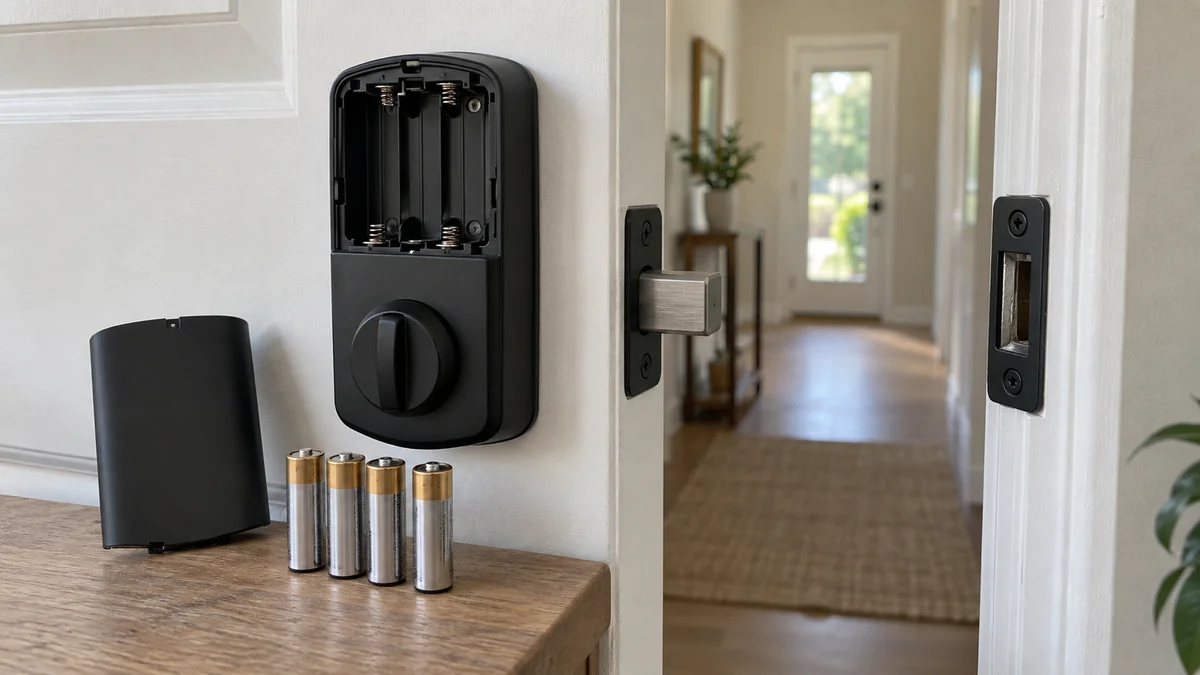
If your smart lock battery draining fast problem returns after every new set, test the door before you blame the batteries.
Run the lock once with the door open and once with it closed. Extra noise, a pause, or a failed closed-door cycle points to bolt drag. If both cycles sound the same, check battery type and network traffic next.
Don’t factory-reset the lock yet. A reset can erase the settings and connection evidence that name the expensive part of the problem.
Smart lock battery draining fast? Test the door first
Open the door so the bolt doesn’t enter the strike plate. Lock and unlock it once, listening for a smooth motor sound and watching for a complete throw. Then close the door and repeat the same cycle.
The difference matters.
If the closed-door cycle sounds slower, reverses, or needs a push, the motor is fighting friction. Kwikset’s current battery guide calls even slight bolt-to-strike misalignment its most common cause of shorter battery life.
Check the same drag without using the motor. With the door open, move the inside thumbturn through a full lock and unlock. Repeat with the door closed; if it takes more force, the door fit is a better lead than the radio.
Look for a loose lock body, a door that must be lifted or pulled shut, fresh rub marks around the strike opening, or seasonal swelling.
Don’t file the strike plate immediately. Tighten loose hinge screws only if you can identify the correct screws, and call a locksmith or door professional when the bolt still binds.
One fresh set is a diagnostic tool
Battery chemistry and voltage aren’t the same. Read the battery section for the full model number inside the cover. Then use one new, matched set of the listed size, chemistry, brand, and voltage.
Replace every cell together.
Generic advice can be wrong here. Kwikset recommends standard non-rechargeable alkaline batteries for several current models, while Wyze specifies eight 1.5-volt AA cells for Lock Bolt v2 and warns that lower-voltage rechargeables can drain faster.
Wyze also says a mixture of old and new cells may initially appear as 100 percent in the app and then fall quickly. That makes a complete matched set a measurement baseline, not a recommendation to keep buying batteries.
| Observation | What it tests | Next move |
|---|---|---|
| Closed-door cycle strains; open-door cycle is smooth | Bolt, strike, hinge, or mounting resistance | Correct the door fit or call a door professional |
| Both cycles are smooth; one matched set lasts normally | Mixed, wrong, or weak batteries | Keep the specified battery setup |
| App reports low power but the lock’s own indicator does not | Controller or app reporting | Record both readings before replacing cells |
| Drain slows when a supported connection is disabled | Radio reconnects or controller polling | Repair that connection or ask model support |
The table is a decision record, not a rule for every lock.
An app percentage is less useful than the lock’s own low-battery signal, a dated battery change, and the result of the same test under the same conditions.
“The lock is now draining a set of batteries daily” after previously working normally, one August lock owner reported.
A sudden change like that deserves a controlled test, not an assumption that every lock of the same brand behaves the same way.
Network wake-ups need a separate test
A lock can use extra power while it reconnects or answers frequent status checks. Nuki says a broken Wi-Fi connection wakes its lock from battery-saving sleep. Repeated smart-home status checks can wake it again.
That evidence doesn’t prove weak Wi-Fi is draining your model. It tells you which screens to record: firmware version, connection type, signal quality, linked services, event history, and the time the battery reading changes.
Update firmware only through the maker’s app and note the version.
If the lock offers several supported connection modes, don’t disable remote access blindly. Confirm how you will enter the home, then change one integration or connection setting at a time.
Some Kwikset SmartCode models provide a sharper test. Kwikset tells owners of those models to remove the lock from the smart-home system, install a fresh set, and run it alone for one week. Ongoing drain points to the lock; normal battery life points to the controller or its polling.
Use that exact procedure only when your model’s support page permits it. For another brand or model, send support your observations and ask for its isolation test before removing an integration.
The smart-home troubleshooting map can help you separate the lock, radio, hub, and cloud paths. If signal testing leads to mounting a hub or bridge, check the home installation guide before drilling or routing a power cable.
A seven-day log beats another reset
Write down the date and time, battery brand and specification, app percentage, the lock’s own warning, firmware version, and whether the door was open or closed during each test. Add an entry only when the reading changes, the motor strains, or the lock reconnects.
Seven days is useful because it matches Kwikset’s published SmartCode test period. It isn’t a promise for every lock.
It is long enough to reveal a severe drain without claiming that a one-hour reading can predict months of use.
Stop the experiment if the lock becomes unreliable, hot, corroded, physically damaged, or unable to secure the door. Keep the mechanical key or the model’s documented emergency-entry method available, and never use a leaking or swollen battery.
Send the model number, battery type, open-versus-closed result, connection mode, firmware version, and seven-day log to the maker. That record helps support choose a door fix, a settings change, or lock service without asking you to repeat a blind factory reset.
Start now: open the door and compare one complete lock cycle with the same cycle after the door is closed. That single result determines whether your next step belongs at the strike plate or in the app.

Bolt & Bulb covers what goes wrong after the unboxing: devices that drop off Wi-Fi, dimmers that flicker with LED bulbs, locks that will not fit a rental door. The site draws on manufacturer documentation, platform support pages and release notes, and attributed owner reports in public forums.