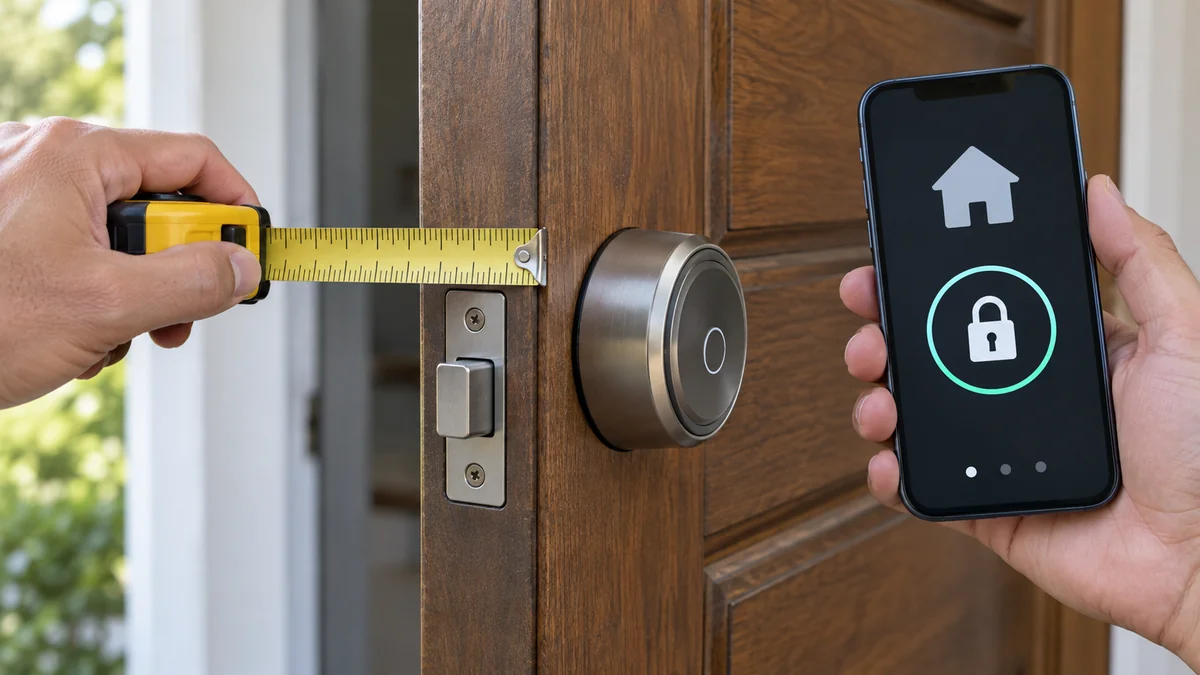
A smart lock compatible with Apple Home is not automatically a Home Key lock, and neither label proves that it fits your door.
Buy only when the exact model supports your preferred unlock method and matches the deadbolt measurements you record.
If either answer is missing from the maker’s current specifications, choose a different lock before drilling, filing, or moving the strike.
Start with the door.
Decide which daily action matters: a tap from an iPhone or Apple Watch, remote control, scheduled guest access, a keypad, a fingerprint reader, or a physical key.
The smart-home troubleshooting map helps after installation. It cannot make the wrong backset fit or add Home Key to a model that never promised it.
Apple Home control and Home Key answer different questions
Apple says the Home app supports both Apple Home and Matter-compatible locks. Its current Home Key guide also warns that not every compatible lock supports Home Key or access codes.
That distinction decides how you enter.
Apple Home support can put a lock tile, status, Siri control, and automations in the Home app. Home Key is the separate tap-to-unlock credential stored in Wallet for a supported lock.
Matter is another line on the card. It can describe how a lock joins compatible ecosystems, but the Matter logo alone does not promise Apple’s Wallet key.
| Label | What it can establish | What you still have to verify |
|---|---|---|
| Apple Home or HomeKit | Home app control for that exact model | Home Key, guest codes, and remote requirements |
| Apple Home Key | Tap with a supported iPhone or Apple Watch | Household alternatives and physical fit |
| Matter | Standards-based ecosystem connection | Transport, controller, Home Key, and maker features |
| Maker hub | Model-specific remote or automation features | Which features work without that hub |
Owners weigh the same tradeoff in this HomeKit thread about wanting Home Key while a fingerprint reader may suit the rest of the household better.
Read that thread before you shortlist. Entry preferences split inside one household.
A smart lock compatible with Apple Home still has to fit
Remove no hardware yet. Photograph both sides of the door edge, the latch face, the inside thumb turn, the outside cylinder, the strike, and any model stamp.
Measure door thickness, backset, the main bore, edge bore, and clearance around trim. Also identify whether you have a separate tubular deadbolt, a mortise case, or a multipoint mechanism.
Those are not interchangeable categories.
Aqara’s official U100 specifications, for example, call for an American-standard deadbolt, a 60 or 70 mm backset, and a 35 to 55 mm door thickness. That is a fit envelope, not a promise for every door sold in the United States.
Schlage’s current Encode Plus fits standard doors 1 3/8 to 1 3/4 inches thick with a 2 3/8 or 2 3/4 inch backset.
The numbers show why a brand comparison should come after measurement. A product can deliver the Apple feature you want and still be the wrong piece of door hardware.
If you rent or the new lock changes visible hardware, read the apartment smart-lock approval steps before ordering. That home-upgrade check separates a reversible swap from a change that needs the owner’s written approval.
Choose the household entry path before the radio
List the entry method each person will use. Include children, Android users, cleaners, relatives, and the dog walker before one Apple Watch decides the purchase.
- Daily residents: choose Home Key, fingerprint, keypad, app, or mechanical key for each person.
- Guests: decide whether they need a scheduled code, a Home invitation, or a key that works without an account.
- Remote moments: state who must lock, unlock, or check status while away.
- Power loss: require a mechanical key, external emergency power, or another documented entry route.
- Phone loss: keep one method that does not depend on the missing phone or its Apple Account.
Apple notes that all residents receive a Home Key automatically when the lock supports it. That is convenient for an Apple household, but it does not answer what a non-Apple resident uses.
Keep one boring fallback.
A keypad or physical key often matters more than another automation because it still gives a visitor or family member a clear way inside. Confirm the fallback in the exact model’s manual, not a retailer’s category filter.
Match the home hub to the remote job
Do not add a hub to the cart just because a comparison chart has a hub column. Define the remote job first.
Apple’s current remote-control guide says an Apple TV 4K or HomePod acts as the home hub needed to control Home accessories while away.
Guest and shared-control plans add another reason to check the Apple hub you already own. The lock maker may also require its own bridge for certain logs, codes, biometrics, or cross-platform automations.
These hubs do different jobs.
For every candidate, make two rows: “works through Apple Home” and “works through the maker’s app.” Put remote unlock, activity history, code creation, firmware updates, and automations on the row where the official manual places them.
Reject a model if a required feature appears only in marketing copy and not in its support page or manual. Also reject it if the needed controller cannot reach the door reliably from its planned location.
Do not buy the lock to test radio coverage.
Take a five-line fit card to checkout
Your final card should contain five lines: door type and measurements, exact lock model, daily unlock methods, required remote and guest features, and emergency entry.
Fill every line with a measurement or a statement from the current maker documentation. “Looks standard,” “supports Apple,” and “probably uses my HomePod” are not completed lines.
There is one clear recommendation: favor the exact model that fits without modifying the door and gives every resident a documented entry method. Skip a more impressive model when it needs uncertain metalwork or leaves one person dependent on someone else’s phone.
Save the photos and measurements with the order. If the delivered hardware or model suffix differs, compare it with the card before opening drill templates or removing the working lock.
For a smart lock compatible with Apple Home, the best next action is not another rankings list. Measure the door, write the five lines, and reject the first candidate that cannot answer all of them.

Bolt & Bulb covers what goes wrong after the unboxing: devices that drop off Wi-Fi, dimmers that flicker with LED bulbs, locks that will not fit a rental door. The site draws on manufacturer documentation, platform support pages and release notes, and attributed owner reports in public forums.